Step 5: How to Access My Sites
Click here to watch more SitePulse How-To videos on Youtube.
-
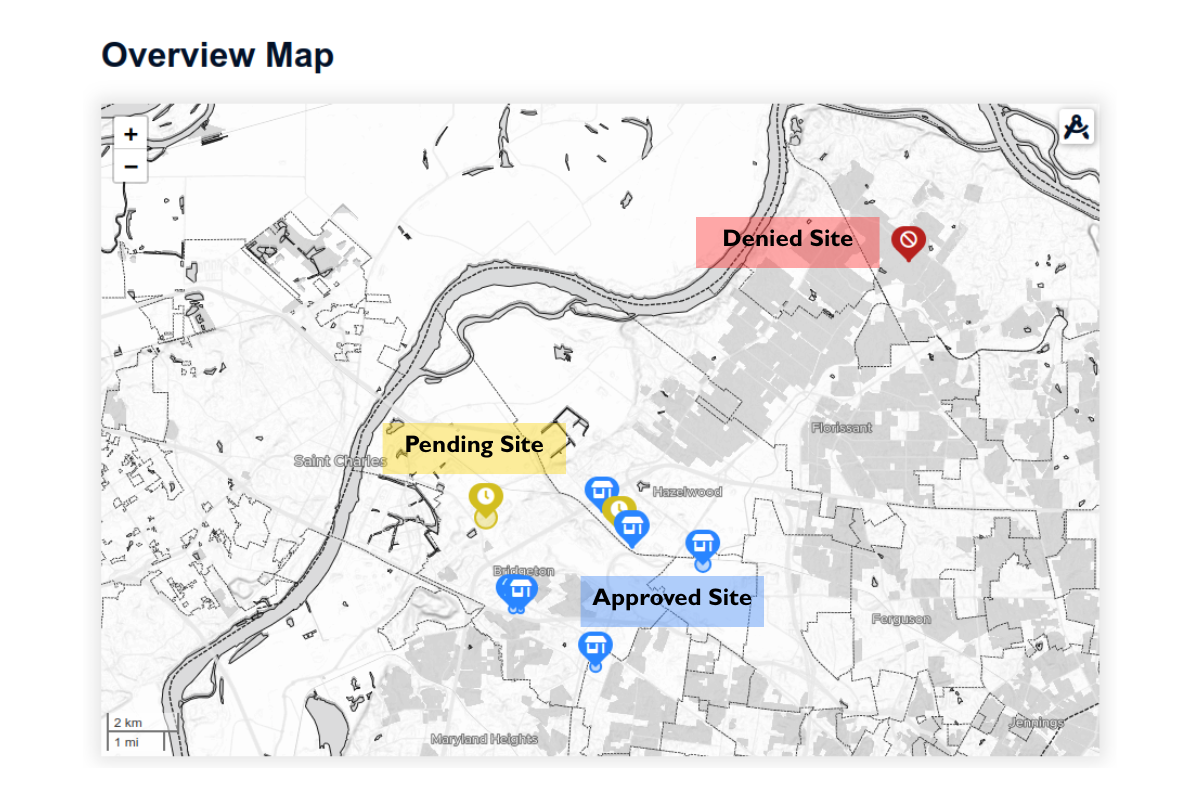
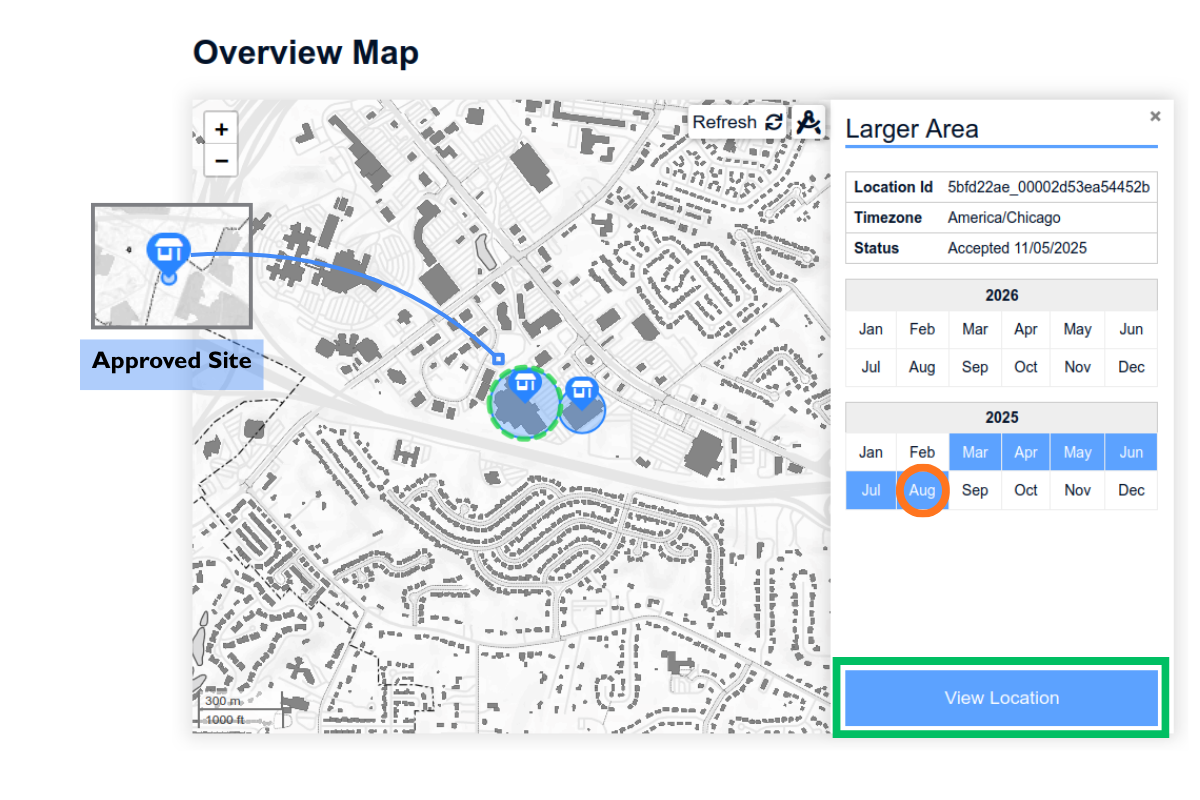
You can find all your locations color-coded on the Overview Map.
- Red – Denied: Data is not available for this location.
- Yellow – Pending: The location has been submitted and is under review.
- Blue – Approved: Data is available and ready for download.
- Blue pin with car icon – traffic location: traffic insights along the road section is of interest.
- Blue pin with house icon – insight location: visitor and drive-by insights at a location is of interest.
-
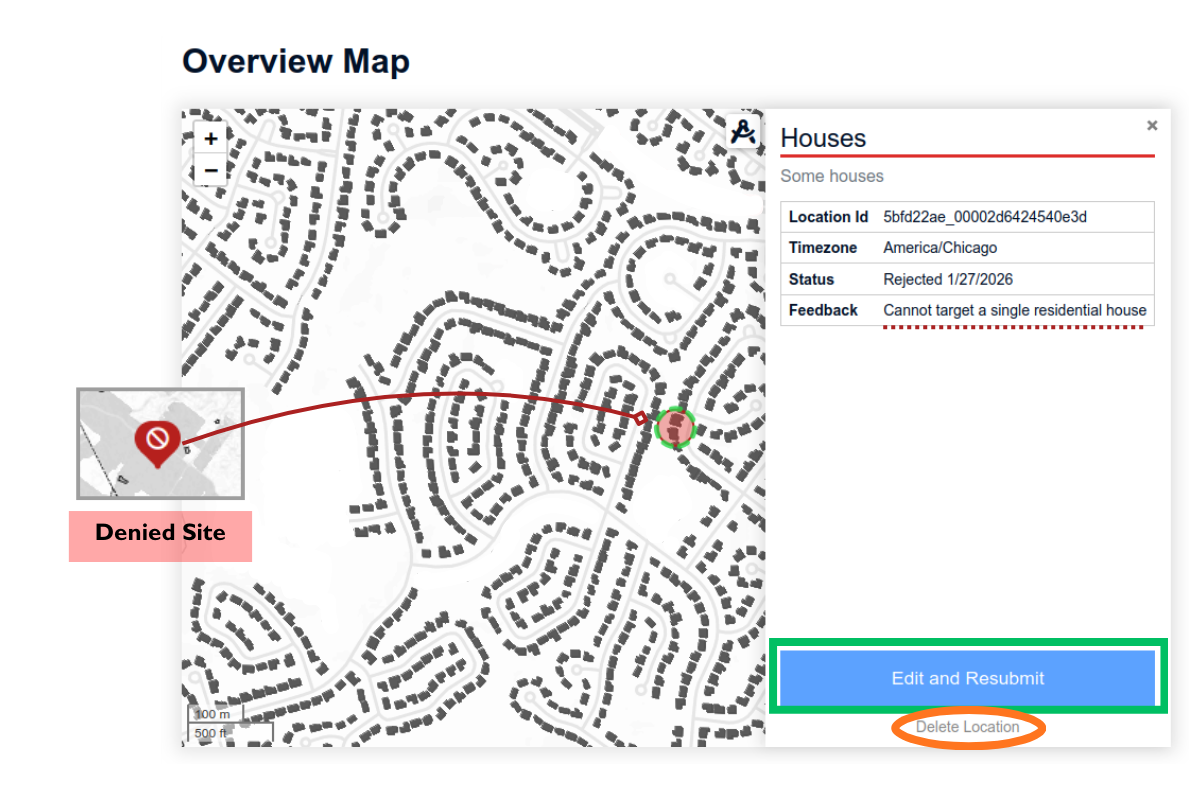
When you click on a denied location, the information panel displays the status and feedback. Locations are commonly rejected due to insufficient data availability, which may occur for several reasons. You may edit and resubmit a denied location or delete it entirely:
- The device network and mobile dataset cover public spaces such as roadways and commercial areas. Residential areas are typically excluded for privacy reasons.
- Schools, hospitals, and places of worship are excluded for regulatory reasons.
- Unpopulated areas or regions without reliable cellular coverage may not have sufficient data points.
-
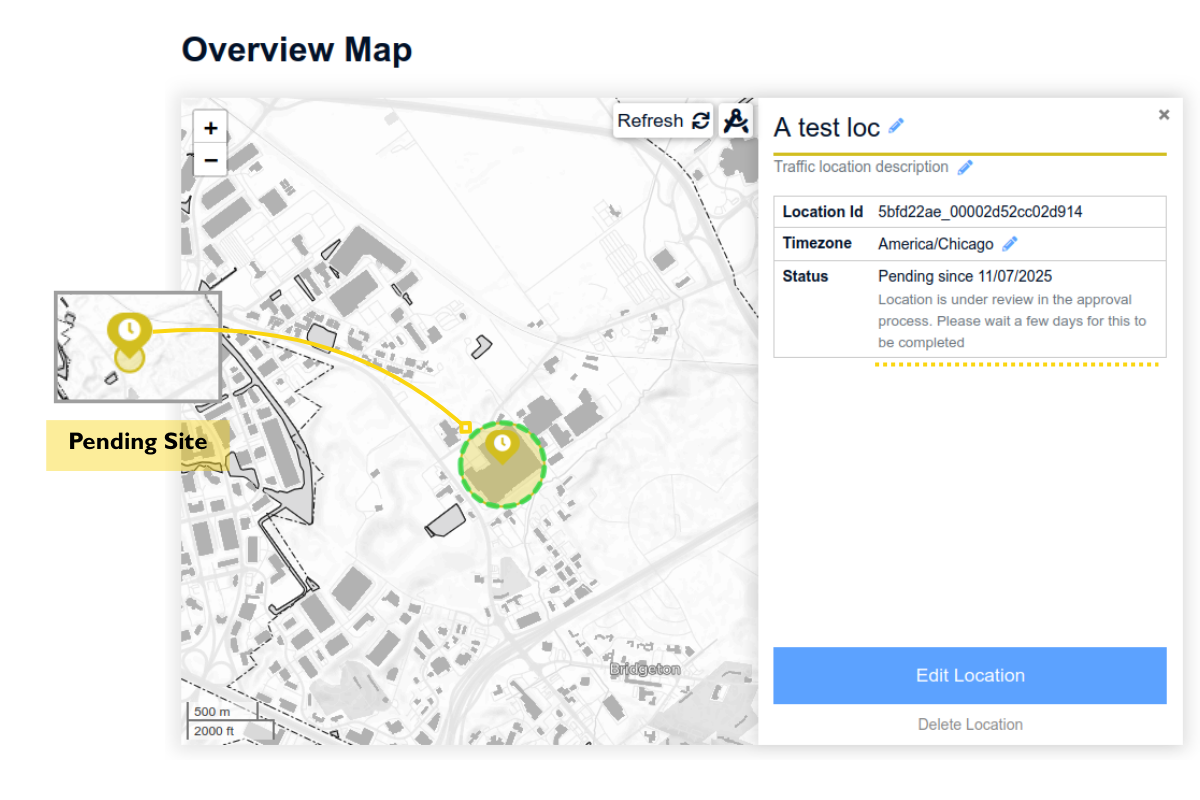
Clicking a pending location shows its current review status. SitePulse will review it and provide feedback shortly.
-
Clicking an approved location opens the information panel, which provides quick access to available insights in a calendar view. To download additional data, click “View Location” to navigate to to the detailed location page, where you can purchase and view insights.
-
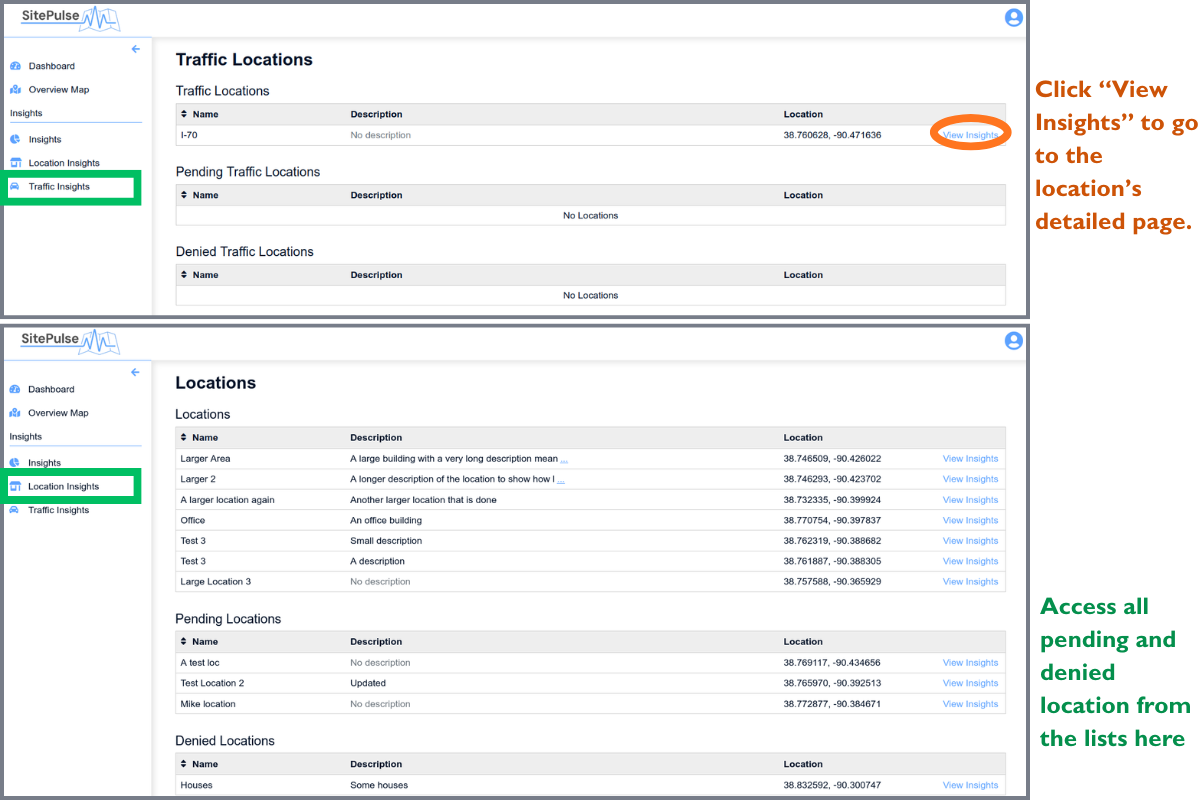
Another way to access your locations is from the “location insights” and “traffic insights” pages, where you can find approved locations, pending locations, and denied locations listed separately.